Selver sales and stock data
Everything important about Selver sales in one view
No more combining data from different files and systems.
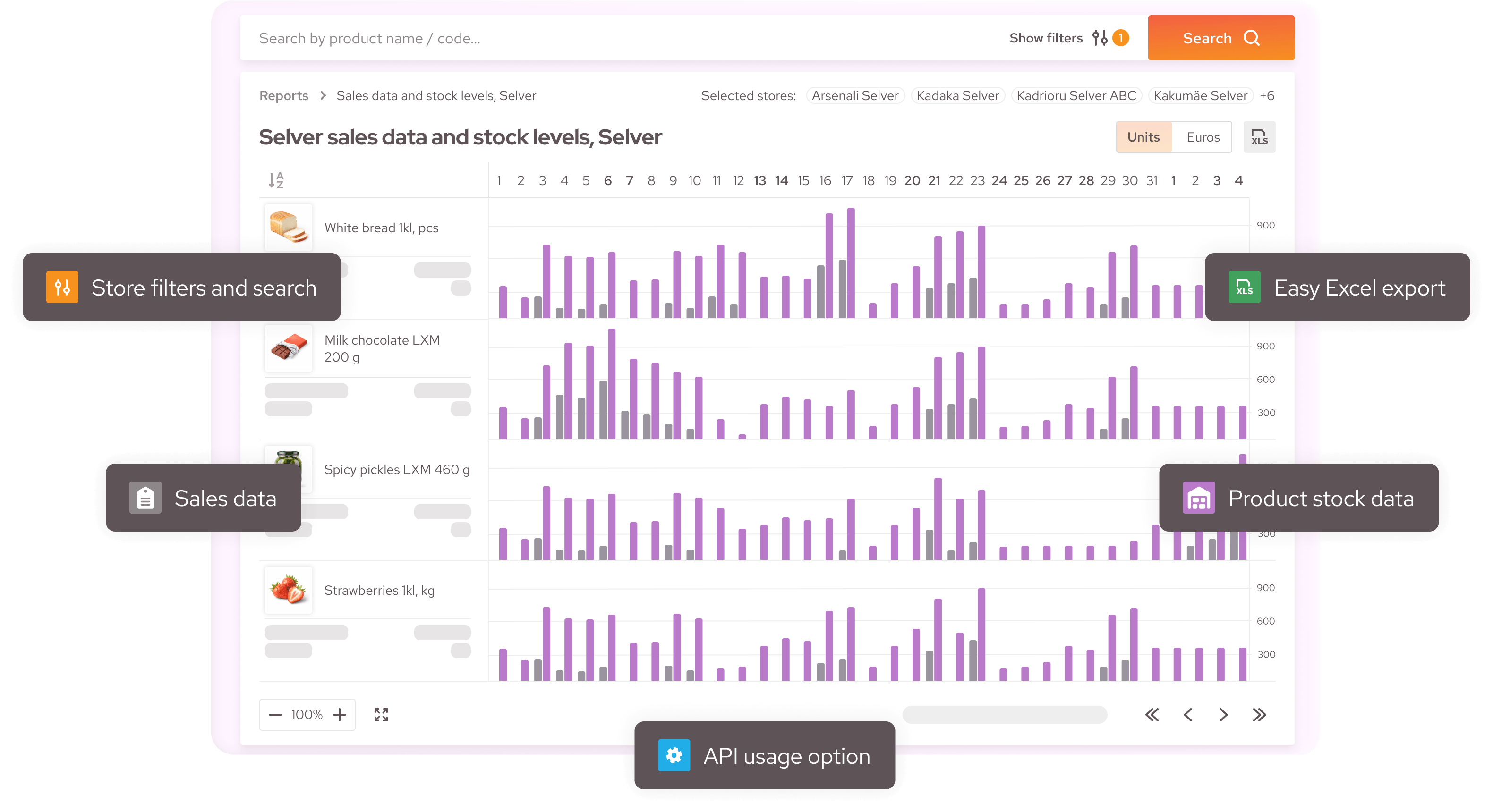
Lexi.Market lets you quickly evaluate product sales performance, monitor stock levels, and see which products are included in Selver’s assortment.
Lexi.Market lets you quickly evaluate product sales performance, monitor stock levels, and see which products are included in Selver’s assortment.
With this data, you can make faster, better-informed decisions about sales, deliveries, and assortment planning.
Access to Selver sales, stock, and assortment data is included in all Lexi.Market standard plans.
Access to Selver sales, stock, and assortment data is included in all Lexi.Market standard plans.
What data can you see?
Assortment data
See which of your company’s products are included in Selver’s assortment.
Sales volume and sales value
Analyse product sales by both quantity and monetary value.
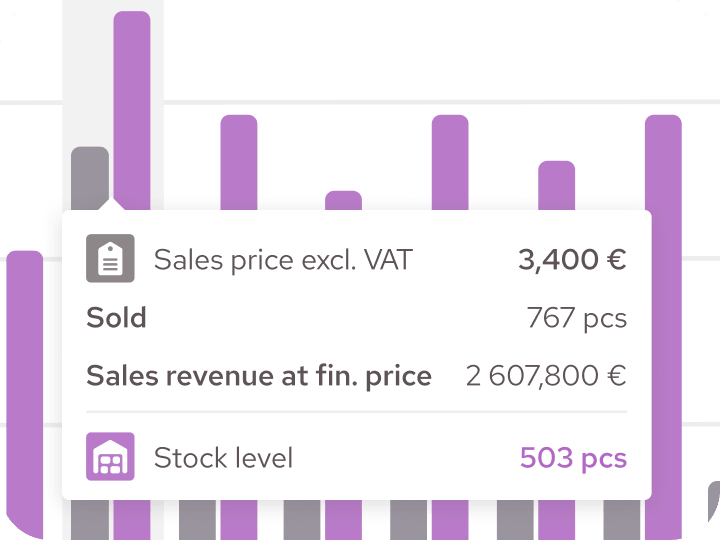
Sales by store
Compare product performance across different Selver stores and identify locations with the strongest and weakest sales.

Stock levels
Monitor up-to-date product stock levels as of the end of the previous day.
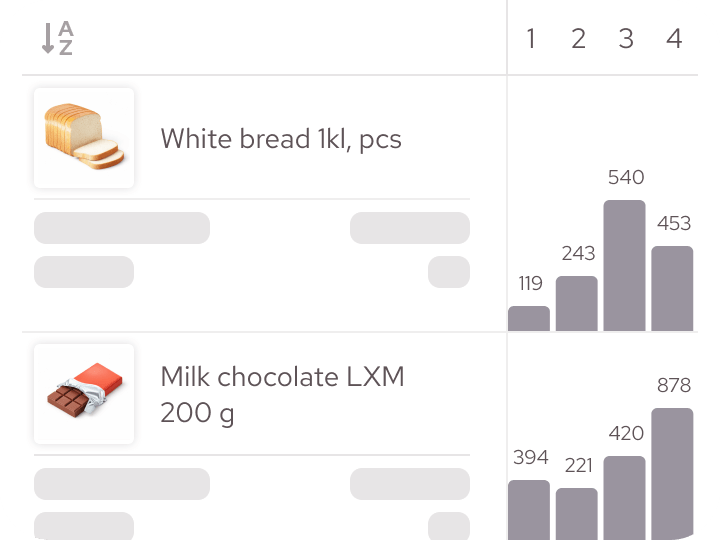
Stock level changes
Compare yesterday’s stock levels with the day before and quickly identify products whose stock has significantly decreased or increased.
What can you do with this data?
Lexi.Market’s Selver data view helps you:

Identify stores where sales of a particular product are stronger or weaker than expected
Compare sales performance across products and stores
Evaluate the impact of campaigns and other sales activities
Identify potential stock shortages before they begin to limit sales
Plan deliveries based on up-to-date stock data
Prepare for meetings and negotiations with the retail chain
Use the data in the way that suits you

In the Lexi.Market web platform
Use an intuitive graphical interface to filter data and find the information you need without creating additional reports. Ideal for daily monitoring and quick analysis.
As an Excel export
Export selected data to Excel and use it in your company’s internal reports, analyses or forecasts. Ideal for more in-depth analysis and data sharing.

Via API
Automatically import sales, stock and assortment data into your ERP, BI or analytics environment. Ideal for automated data exchange and processing larger volumes of data.
API access is available from the Lexi.Market L plan onwards.
API access is available from the Lexi.Market L plan onwards.
Plans for sellers
* An additional fee applies to each order placed through the B2B e-shop. The fee depends on the selected plan.
Getting started is easy
01.
Complete the consent form
Confirm that Selver may share your company’s sales, stock and assortment data with Lexi.Market.
02.
We send your consent to Selver
Lexi.Market handles the necessary approval process with Selver.
03.
We activate the data view
Once data sharing has been approved, we will notify you and the relevant data will become available in Lexi.Market.
Want to see how Lexi works for your business?
Book a demo and take a closer look at the solution.